
Blog / VW Technology

Blog

All VW Technology Service Tips and Info VW Tiguan VW Jetta Local News and Events Dealership News VW Atlas Rhode Island Tourism FAQ VW Golf VW Passat Safety VW GTI VW Golf Alltrack VW Beetle VW Golf SportWagen News Parts and Accessories VW News Vehicle Comparison Sales Events VW Golf R VW e-Golf VW Touareg Oil Maintenance Program Carefree Maintenance Program Tire Service Certified Pre-Owned Tips Financing VW ID4 VW Taos Electric Vehicles Comparison Features College Graduate Program Concepts VW Arteon Accessories Convertible fuel efficiency OEM eStore VW Atlas Cross Sport VW CC Locations AWD VW Eos Warranty TDI Clean Diesel VW ID. Buzz Lease VW Dealer VW e_Golf VW ID.7 Awards Employment VW ID.2
2026 VW Tiguan Tech

2026 VW Tiguan Tech

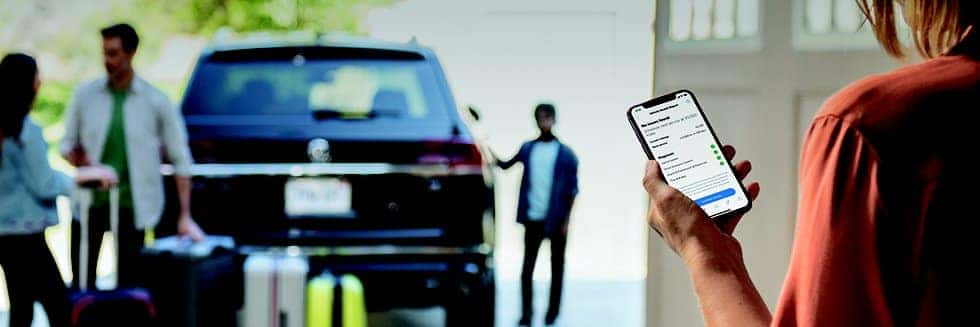
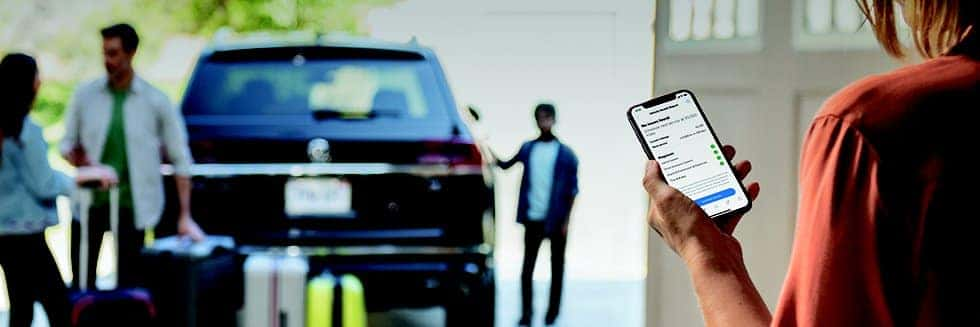
If you are looking for an SUV that makes your daily routine simpler, the 2026 Volkswagen Tiguan should be at the top of your list. Modern drivers need a vehicle that seamlessly integrates with their busy lives. The 2026 VW Tiguan brings intuitive technology, reassuring driver assistance, and premium comfort together in a way that perfectly fits Rhode Island routines. Whether you are commuting to Providence, running errands around Warwick, or loading up for a weekend trip to the coast, this compact SUV’s smart features go to work quietly in the background. You can enjoy a smooth, confident ride without constantly adjusting settings or wrestling with complicated menus. This post answers the most common questions we receive about the impressive technology inside the 2026 VW Tiguan. We will walk you through the infotainment upgrades, safety systems, and performance options that make this vehicle a standout choice. By the end, you will know exactly how this SUV can elevate your daily drive around Wakefield and beyond. Infotainment & Connectivity What are the screen options in the 2026 VW Tiguan? The Tiguan offers a stunning standard 12-inch display that features clean menus and highly responsive touch targets. If you want a larger interface, upgrading to the SEL R-Line Turbo trim unlocks an available 15-inch touchscreen. This massive screen makes navigation, media selection, and adjusting vehicle settings incredibly easy while keeping your eyes near the road. How does smartphone integration work? Volkswagen has eliminated cord clutter with standard Wireless App-Connect. This system supports both Apple CarPlay and Android Auto. Your maps, messages, and favorite playlists will launch quickly and stay synchronized as soon as you step inside the vehicle. An available Wi-Fi Hotspot is also offered, ensuring your passengers can stream music or keep their tablets connected during long drives. Are there charging options for devices? Yes, the 2026 Tiguan provides convenient wireless charging for compatible smartphones. You can simply place your phone on the charging pad to keep your battery topped up while you drive. Multiple USB ports are also located throughout the cabin to ensure everyone’s devices stay powered. Driver Assistance & Safety What driver-assist features are standard or available? Confidence matters when navigating busy highways or tight city streets. The Tiguan features IQ.DRIVE driver assistance technology to help you stay aware of your surroundings. Available features include Travel Assist, which provides semi-automated hands-on driving capability on suitable highways. You can also equip the Tiguan with Adaptive Cruise Control and Lane Assist to relieve some of the workload during your daily commute. How does the Tiguan help with parking? Parking in crowded lots or tight spaces is much easier with the Tiguan’s sensor technology. Available Blind Spot monitoring and Rear Traffic Alert can detect vehicles you might miss while backing out of a driveway. These systems offer smart support to make parking maneuvers calmer and more collected. What passive safety features are included? The Tiguan includes Front Assist with Automatic Emergency Braking, which can help you react to sudden slowdowns in traffic. Additionally, the myVW+ app brings safety and convenience to your smartphone. You can review your vehicle's service history, schedule appointments, and access emergency services quickly if needed. Comfort & Convenience Tech What climate control technology does it offer? The Tiguan keeps you comfortable regardless of the weather outside. You can enjoy available ventilated front seats on the SEL R-Line Turbo trim, which help you stay cool during the humid summer months. The vehicle also features Premium Speech voice control. You can simply ask the Tiguan to adjust the cabin temperature, and the system will take care of it without requiring you to take your hands off the steering wheel. How does keyless access work? Depending on your equipment level, the Tiguan offers advanced Remote Access features through the myVW+ app. You can lock or unlock your doors from your smartphone. Remote start functionality allows you to warm up the engine and heat the cabin before you even step outside on a cold winter morning. Are there any unique tech features for family convenience? Families will love the spacious and tech-forward interior. Available diamond-stitched leather seating adds a touch of sophistication, while available massage front seats help reduce fatigue on long road trips. The cabin layout gives everyone clear sightlines. When you fold the rear seats down, you open up a massive 69.8 cubic feet of cargo space. This flexible design easily accommodates sports gear, strollers, or large hardware store purchases. Performance & Efficiency Tech What engine technology powers the Tiguan? The 2026 Tiguan features advanced turbocharged engine technology that delivers snappy acceleration and reliable passing power. The refined powertrain finds a perfect balance between smooth city driving and steady highway cruising, keeping the steering feel light and precise. Are there different drive modes? Yes, the available Driving Experience Dial lets you adjust the vehicle's driving characteristics to match your mood and the road conditions. You can keep the settings calm and efficient for your weekday commute, or switch to a more responsive mode for a weekend drive down the coast. How does the Tiguan balance power and fuel efficiency? Volkswagen engineers have tuned the Tiguan to maximize efficiency without sacrificing performance. When you equip the vehicle with available 4MOTION all-wheel drive, the system intelligently distributes power to the wheels that have the most grip. This provides excellent traction during wet Rhode Island mornings or snowy winter commutes while maintaining optimal fuel economy. Speedcraft VW Specifics Why should I consider the 2026 Tiguan from Speedcraft VW? Speedcraft Volkswagen is a Rhode Island owned and operated dealership proudly serving Wakefield, Warwick, Providence, and Coventry. Our team provides a straightforward, pressure-free experience. We respect your time and offer a friendly, step-by-step process to help you find the exact trim and options you need. From exploring the SEL R-Line Turbo to setting up your myVW+ app, our staff handles the details so you can focus on enjoying your new vehicle. How can I test drive the 2026 Tiguan at Speedcraft VW? Getting behind the wheel is simple. You can browse our online inventory from the comfort of your home and use our online scheduling tool to book a test drive. Alternatively, you can visit our dealership in person at 104 Old Tower Hill Road in Wakefield, RI. Our team will have the keys ready for you. Experience the 2026 Tiguan in Wakefield Today The 2026 Volkswagen Tiguan stands out because it makes sophisticated technology feel refreshingly simple. The vibrant displays, seamless smartphone connections, and IQ.DRIVE assistance features settle into your daily routine without any steep learning curve. The smooth ride and quiet cabin ensure that every mile you drive is relaxing and comfortable. If your next SUV needs to handle weekday commutes and weekend adventures with equal ease, the Tiguan is the perfect fit. Visit Speedcraft Volkswagen today to explore our inventory. Our knowledgeable team is ready to answer your questions and help you experience this remarkable vehicle firsthand.
2026 VW Jetta

2026 VW Jetta Tech: IQ.DRIVE & Digital Cockpit Pro Explained

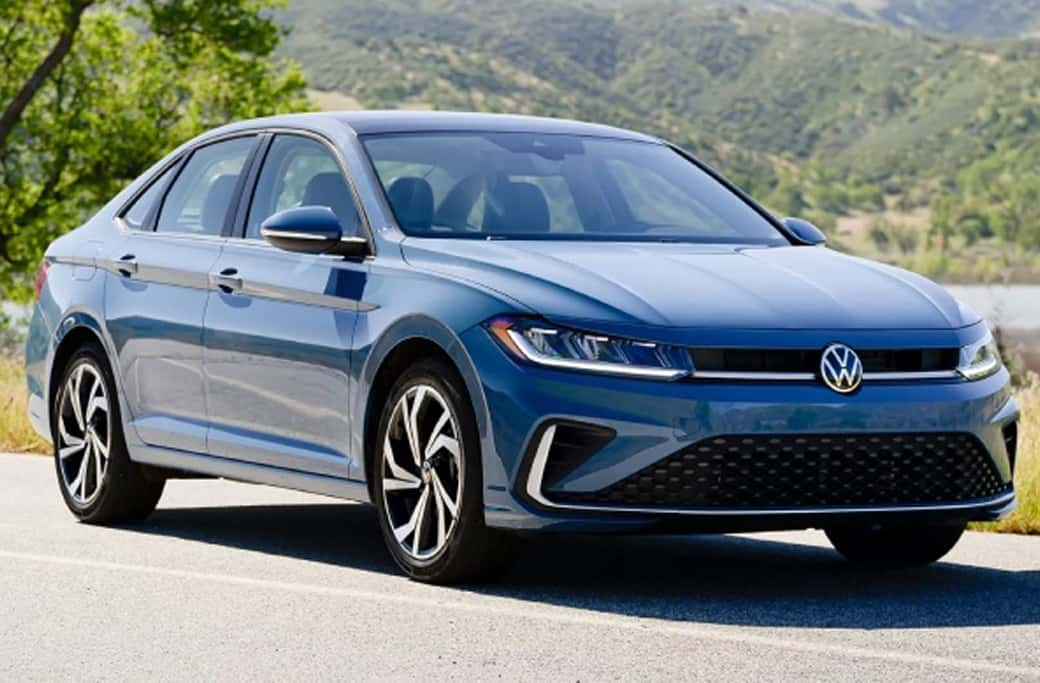
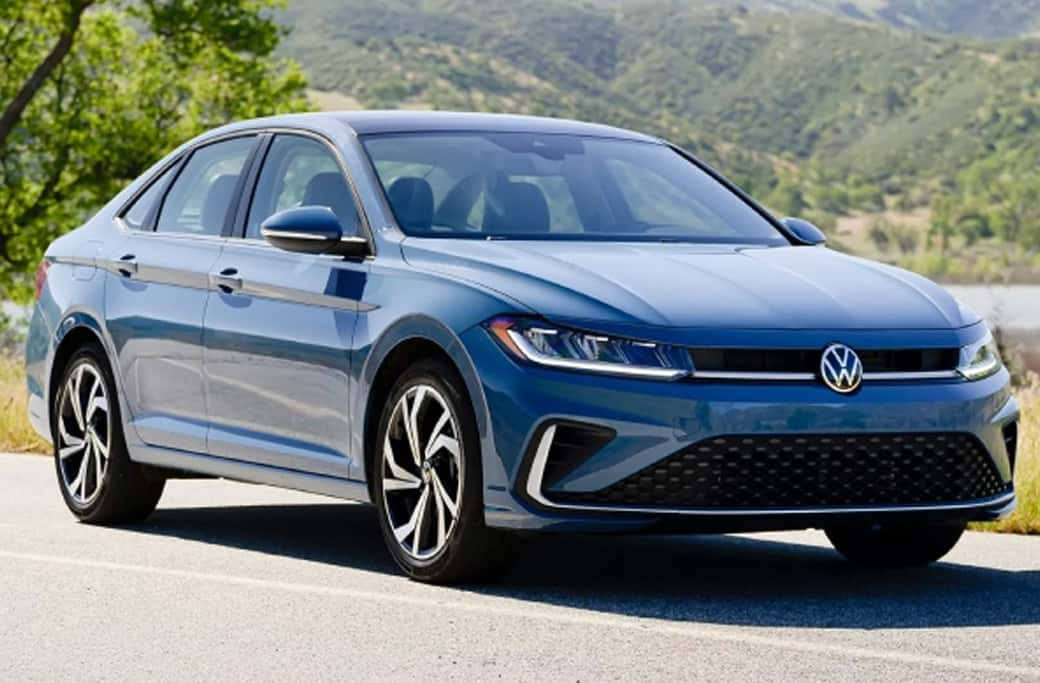
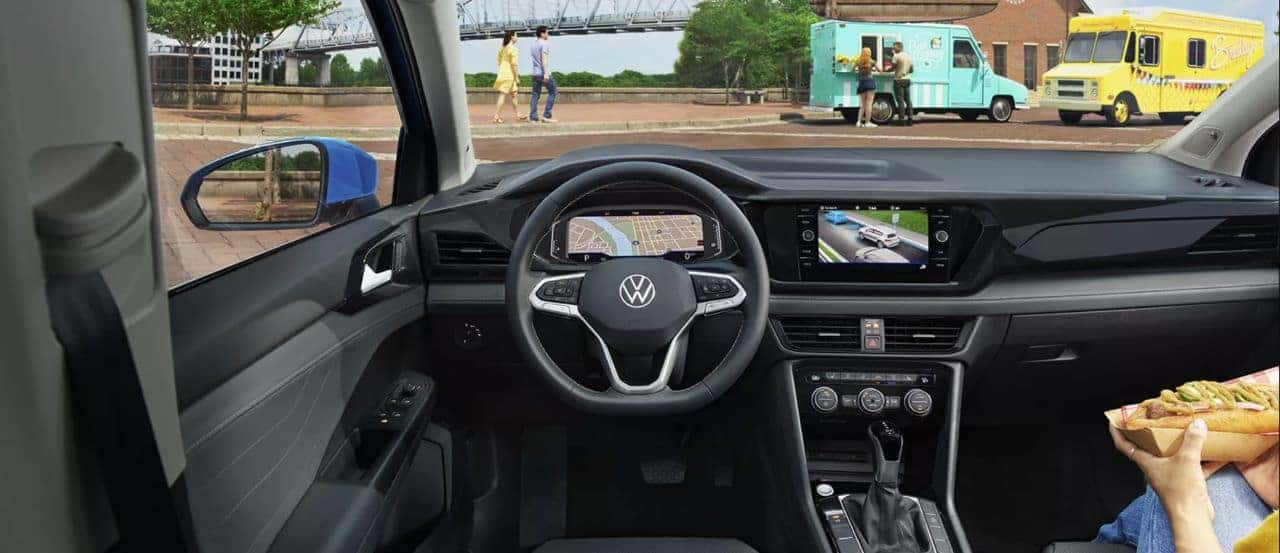
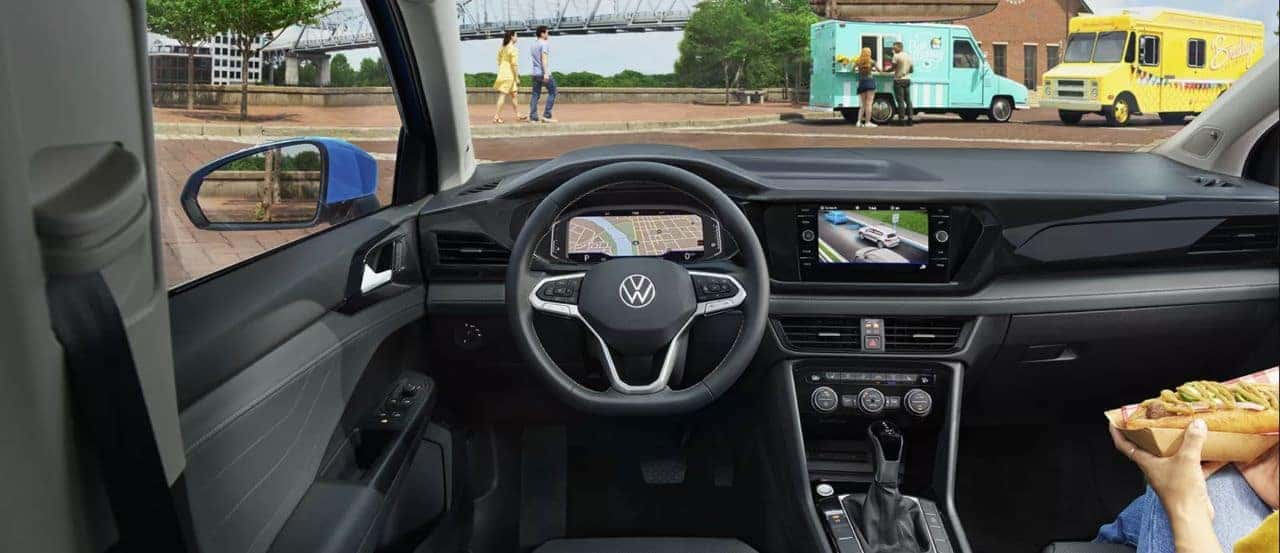
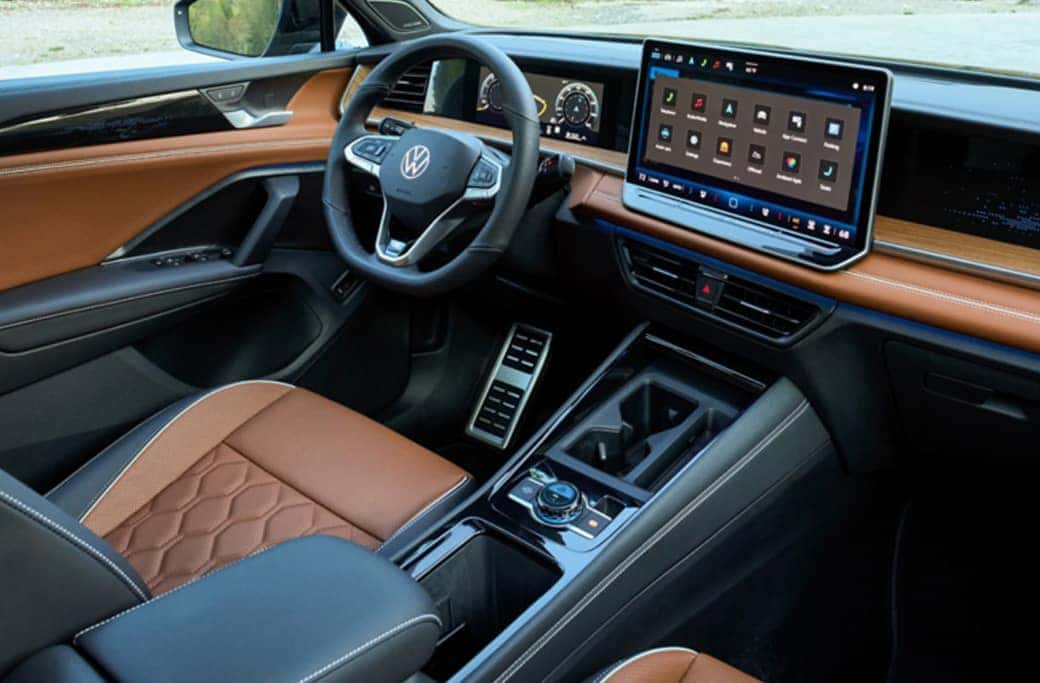
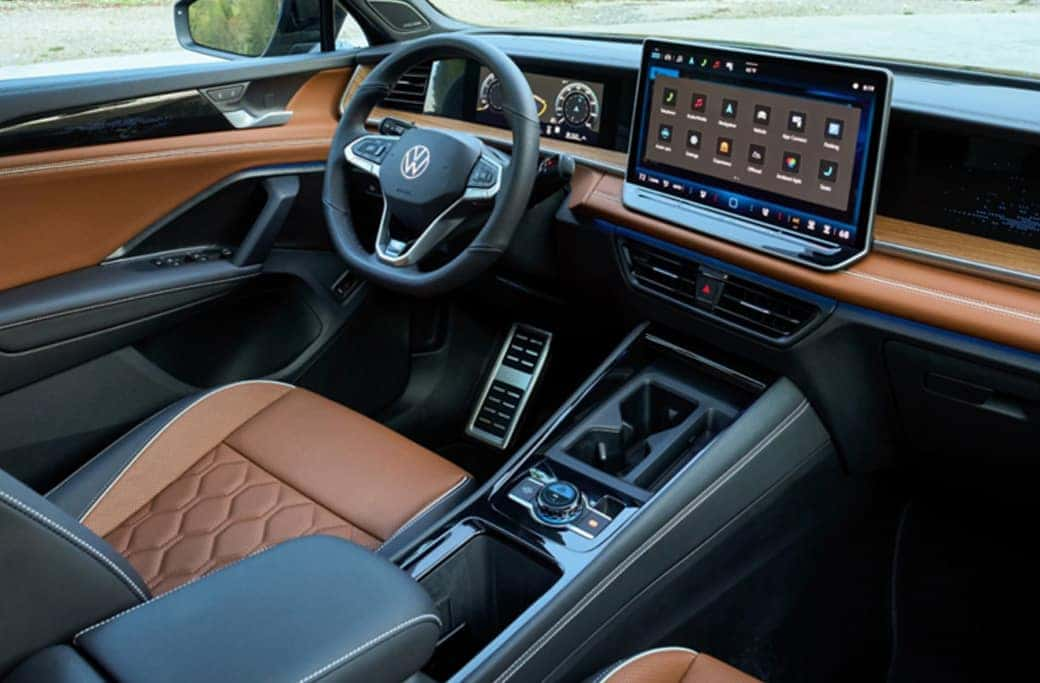
If you have ever navigated Route 1 on a busy summer weekend or handled the afternoon rush hour near Providence, you understand the value of a calm, predictable commute. The 2026 Volkswagen Jetta delivers exactly that, transforming stressful drives into smooth journeys. This compact sedan stands out from the crowd by offering advanced technology designed specifically to support your daily routines. At the heart of this effortless driving experience are two standout features: the IQ.DRIVE® driver-assistance suite and the available Digital Cockpit Pro. Instead of overwhelming you with complicated menus and distracting alerts, these systems work harmoniously to keep you informed and confident behind the wheel. The technology remains quietly in the background, stepping in only when you need a helping hand. For Rhode Island drivers, finding a vehicle that can adapt to both coastal cruising and dense city traffic is essential. The Jetta manages this balance perfectly. By bringing crucial information to your line of sight and providing semi-automated driving support, it allows you to focus on enjoying the ride. Let's explore how these features function and why they make the 2026 Jetta an ideal match for your local commute. A Closer Look at IQ.DRIVE® Volkswagen developed the IQ.DRIVE® system to provide practical assistance for everyday driving situations. This suite of advanced safety and convenience features acts as a reliable co-pilot, enhancing your awareness and reducing fatigue on long trips. Travel Assist and Adaptive Cruise Control When you are driving on clearly marked highways, Travel Assist offers hands-on, semi-automated driving capability. It supports your steering, acceleration, and braking, which significantly reduces the stress of highway travel. Paired with Adaptive Cruise Control (ACC) Stop & Go, the Jetta can maintain a preset distance from the car ahead, gracefully handling the stop-and-go patterns often found near busy shopping districts and bridges. Front Assist and Active Blind Spot Monitor Safety is a priority in the Jetta. Front Assist includes Forward Collision Warning and Autonomous Emergency Braking, helping mitigate potential impacts with vehicles or pedestrians in your path. Meanwhile, the Active Blind Spot Monitor keeps a watchful eye on adjacent lanes. If you attempt to change lanes while another vehicle is concealed in your blind spot, the system can provide visual warnings and gentle counter-steering to keep you safe. Rear Traffic Alert and Lane Assist Reversing out of a tight parking space in Wakefield is much easier with Rear Traffic Alert. This feature detects vehicles crossing your path from the sides when you are backing up, even applying the brakes if necessary. Once you are on the move, Lane Assist (the Lane Keeping System) tracks lane markings and can gently steer the vehicle back to the center if it detects unintentional drifting. Navigating with Digital Cockpit Pro While IQ.DRIVE® manages your physical surroundings, the Jetta’s interior screens handle your information needs. The 2026 Jetta comes standard with an 8-inch VW Digital Cockpit, but upgrading to the SEL trim unlocks the impressive 10.25-inch Digital Cockpit Pro. Customizable Driver Information Digital Cockpit Pro replaces traditional analog dials with a high-resolution, fully customizable digital display. You can configure the screen to prioritize the data you care about most. Whether you want a widescreen view of your navigation route, real-time updates from your driver-assistance systems, or simply your speed and fuel economy, the interface adapts to your preferences. Keeping Your Attention Centered By placing essential driving data directly behind the steering wheel, Digital Cockpit Pro reduces the need to glance sideways at the center infotainment screen. This ergonomic design helps you keep your eyes forward, reducing distractions and promoting safer driving habits. Seamless Connectivity The digital experience extends beyond the driver's display. With available Wireless App-Connect®, you can link your smartphone via Apple CarPlay or Android Auto without cluttering the cabin with cords. An available Wi-Fi Hotspot ensures your passengers stay connected, while the myVW+ ecosystem allows you to control features like remote start and locking directly from your mobile device. Perfect Harmony on Rhode Island Roads The true brilliance of the 2026 Jetta lies in how IQ.DRIVE® and Digital Cockpit Pro communicate with one another. When you activate Adaptive Cruise Control, the Digital Cockpit Pro clearly displays your following distance and target speed. If Lane Assist intervenes, a subtle visual cue appears right in your line of sight. This synergy creates a cohesive driving environment. Instead of feeling like a collection of separate gadgets, the Jetta's technology operates as a unified system. When you are merging onto I-95 or navigating the winding coastal roads of Narragansett, this seamless interaction ensures you always feel in total control of the vehicle. The Jetta's refined suspension and responsive 8-speed automatic transmission further enhance this feeling of effortless mobility. Your Guide to 2026 Jetta Technology (FAQ) Is IQ.DRIVE® standard on the 2026 Jetta? Yes. IQ.DRIVE® is standard equipment across the 2026 Jetta lineup. It brings hands-on, semi-automated capability, including Travel Assist and Emergency Assist, to every driver. What is the difference between the standard VW Digital Cockpit and Digital Cockpit Pro? The standard VW Digital Cockpit provides an 8-inch digital driver display with essential information. The Digital Cockpit Pro, available on the SEL trim, expands this to a 10.25-inch fully configurable display, offering higher resolution graphics and much more flexibility in how your data is laid out. Does the Jetta offer Wireless App-Connect® and wireless charging? Yes. Wireless App-Connect® and wireless charging are available features. They allow you to integrate compatible smartphones with the vehicle's infotainment system and charge your battery without using any cables. Can I get in-vehicle internet access? An available Wi-Fi Hotspot allows you and your passengers to connect devices to the internet while on the road. This is perfect for keeping family members entertained during longer trips or catching up on work from the passenger seat. How do connected services work with my phone? Through the myVW+ app, you can access connected services directly from your smartphone. This includes remote lock and unlock functions, remote start (if equipped), last parked location tracking, and easy service scheduling. Experience the Effortless Drive in Wakefield Reading about advanced automotive technology is one thing, but experiencing it firsthand is another. The thoughtful integration of IQ.DRIVE® and Digital Cockpit Pro makes the 2026 Volkswagen Jetta a standout choice for Rhode Island commuters seeking a smarter, more relaxed driving experience. Ready to see how these features simplify your daily routes? Visit Speedcraft Volkswagen in Wakefield, RI. Our team is happy to give you a personal demonstration of the Digital Cockpit Pro and take you on a test drive to feel IQ.DRIVE® in action. Contact us today or browse our online inventory to find the perfect Jetta for your lifestyle.

Top 3 Tech Features in 2025 Volkswagen Models

Top 3 Tech Features in 2025 Volkswagen Models

Volkswagen’s 2025 lineup has arrived, and with it comes an impressive selection of advanced tech features designed to elevate your driving experience. Whether you're looking for convenience, connectivity, or enhanced safety, these innovations deliver on all fronts. Speedcraft VW is excited to highlight three standout features that make these vehicles a must-have for the modern driver. 1. Remote Access with myVW App Control your car from wherever you are with the myVW app. This intuitive tool allows you to start your engine, lock or unlock your doors, and even honk or flash your lights—all from your smartphone. Electric vehicle drivers can remotely monitor and control charging, set timers, and manage charging profiles for added convenience. But it doesn’t stop there. Forgotten where you parked? The app shows your vehicle’s exact location, provides parking payment info, and even integrates with Parkopedia to make parking stress-free. Available on popular 2025 models like the Atlas, Atlas Cross Sport, Jetta, Taos, and ID.Buzz, this feature is the ultimate in smart car connectivity. 2. Wi-Fi Hotspot for Seamless Connectivity Stay connected on the go with the built-in Wi-Fi hotspot, offered as part of Volkswagen’s Car-Net subscription. With support for two major carriers, T-Mobile and Verizon, this hotspot delivers reliable 4G LTE speeds. Connect up to four devices simultaneously and handle everything from email and online gaming to web surfing and video calls right from your car. The Wi-Fi hotspot is available across key 2025 models, including the Atlas, Atlas Cross Sport, Jetta, Taos, and ID.Buzz—making road trips and commutes more productive and entertaining. 3. IQ.DRIVE for Smarter, Safer Travels Volkswagen’s IQ.DRIVE takes driver assistance to the next level. Designed with safety and ease of driving in mind, this suite of smart technologies provides features like Adaptive Cruise Control, which automatically adjusts your speed and maintains a safe distance from other cars. This system reduces fatigue and provides an extra layer of driver support, ensuring a more comfortable and secure ride. Whether it’s navigating daily traffic or heading out on long drives, IQ.DRIVE is standard in all 2025 models to ensure a safer and smoother experience. Find Your Next Volkswagen at Speedcraft VW Volkswagen’s 2025 lineup showcases an incredible fusion of innovation, convenience, and safety, setting a new benchmark for modern vehicles. Visit Speedcraft VW today to explore these advanced features firsthand and discover which model suits your lifestyle. Get behind the wheel of your future—stop by or schedule a test drive now!

How to Use ChatGPT in Your Volkswagen

How to Use ChatGPT in Your Volkswagen

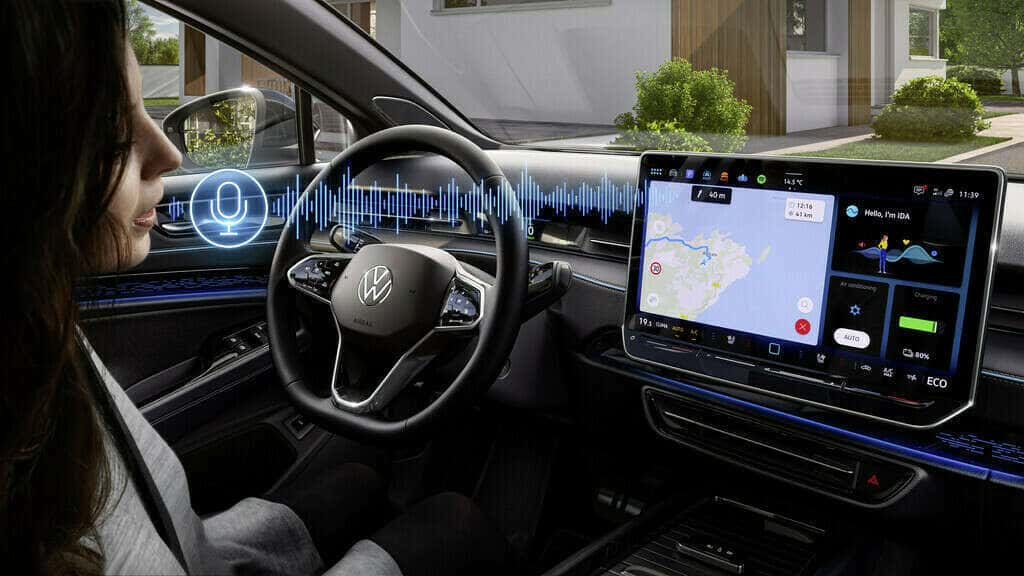
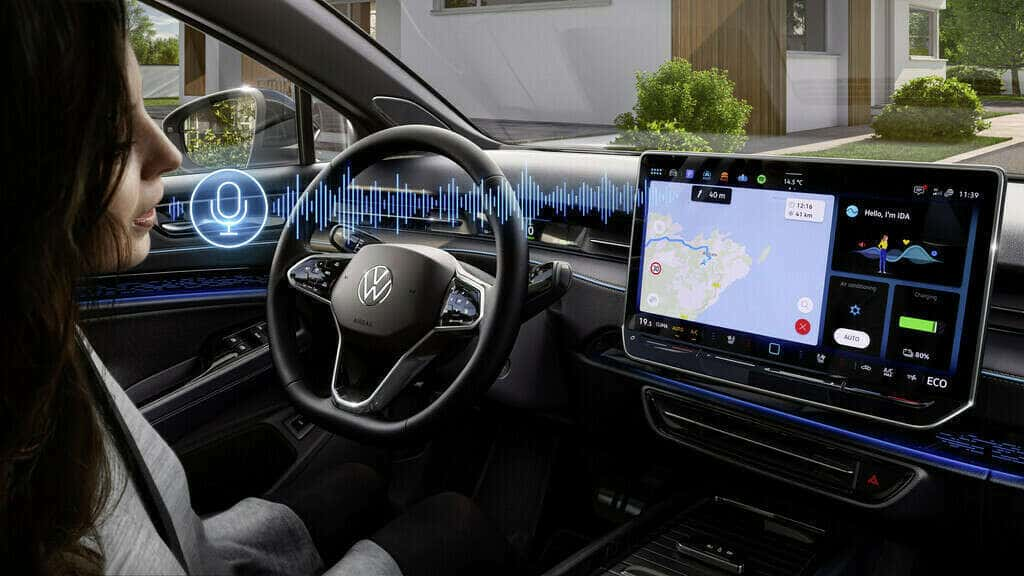
Welcome to the future of driving! At Speedcraft VW, we’re excited about the integration of ChatGPT into Volkswagen’s cutting-edge IDA voice assistant, creating a driving experience that’s intuitive, personalized, and safer than ever. With features like hands-free controls and seamless convenience, ChatGPT is revolutionizing how drivers interact with their vehicles. In this article, you’ll learn how to set up and use ChatGPT in your Volkswagen, discover its many benefits, and explore innovative ways to get the most out of this advanced technology. Benefits of Using ChatGPT in Your Volkswagen ChatGPT enhances Volkswagen’s IDA voice assistant with unmatched conversational capabilities. It’s designed to simplify your driving experience, help you stay focused on the road, and make every drive more enjoyable. Key benefits include: Navigation Made Easy Ask IDA to guide you by simply saying, “Hello IDA, find the shortest route to the nearest coffee shop.” Effortless Infotainment Control streaming services or get weather updates with natural voice commands like, “What’s the forecast for today?” Everyday Convenience Have questions? ChatGPT can answer them—whether you’re curious about local restaurants or need help finding parking. By allowing for hands-free interaction, ChatGPT helps you stay safer on the road while managing your daily tasks and preferences seamlessly. How to Set Up and Activate ChatGPT in Your Volkswagen Activating ChatGPT in your Volkswagen is simple, but first, make sure your vehicle is ready to use this state-of-the-art feature. Here’s what you’ll need: Check Your Vehicle Compatibility ChatGPT is available in the 2025 Jetta, Jetta GLI, Golf, Tiguan, Passat, and all ID. models. Future updates will bring ChatGPT to more models equipped with Volkswagen’s latest infotainment system. Ensure You Have a Subscription Plus Speech with AI is required for ChatGPT functionality. The ID.4 and ID. Buzz include a complimentary subscription for up to three years. Verify Software Updates Your vehicle’s software must be up-to-date. Updates can be completed over the air or during a service visit at Speedcraft VW. Once you’ve verified your vehicle is compatible and ready, follow these steps to activate ChatGPT in your Volkswagen: Step 1: Download and log into the myVW app on your smartphone. Use the app to verify your vehicle’s compatibility and subscription status. Step 2: Navigate to your infotainment settings and enable “Plus Speech with AI.” Step 3: Sync your preferences between your smartphone and vehicle through the app. Step 4: Test the setup by saying “Hello IDA” or pressing the voice control button on your steering wheel. Try commands like “What’s the weather today?” or “Find the closest gas station.” Troubleshooting Tips Encountering issues while setting up ChatGPT? Try these quick solutions to get back on track: Connectivity Check: Ensure both your car and phone are connected to Wi-Fi or cellular data. Software Update: Confirm that your vehicle firmware and myVW app are updated. Restart System: Power cycle the infotainment system or restart the app. Subscription Status: Confirm your Plus Speech with AI subscription is active. For additional assistance, our expert team at Speedcraft VW is just a call away. We’re here to help you fully unlock the potential of your Volkswagen. Innovative Uses of ChatGPT in Volkswagen Models Once everything is up and running, it’s time to explore how ChatGPT can enhance your drives. Personalized Settings Tailor your driving experience with simple commands, like "Hi IDA, adjust the seat to my saved position," or “Increase the cabin temperature.” Safety Features Use hands-free commands to request traffic updates, weather alerts, or emergency services. For instance, you can say, “Hi IDA, find the nearest hospital,” in an emergency. Daily Convenience Manage your schedule by asking ChatGPT for reminders or searching for specific locations, such as “What’s the fastest route to work today?” With these features, driving becomes more efficient, convenient, and enjoyable. Looking to the Future Volkswagen’s integration of ChatGPT is just the beginning of a new era in intelligent driving. We anticipate exciting future developments, including expanded language options and deeper integration with vehicle systems. These advancements will pave the way for autonomous driving and even more personalized driving experiences. At Speedcraft VW, we’re thrilled to bring this cutting-edge technology to our community. If you’d like to learn more about using ChatGPT in your Volkswagen or discover other innovative features, visit us today in Wakefield or explore our new Volkswagen inventory online! Unlock the future of driving. Step into a Volkswagen equipped with ChatGPT and experience the road like never before.

2025 VW Jetta Sedan Top 10 Features

2025 VW Jetta Sedan Top 10 Features

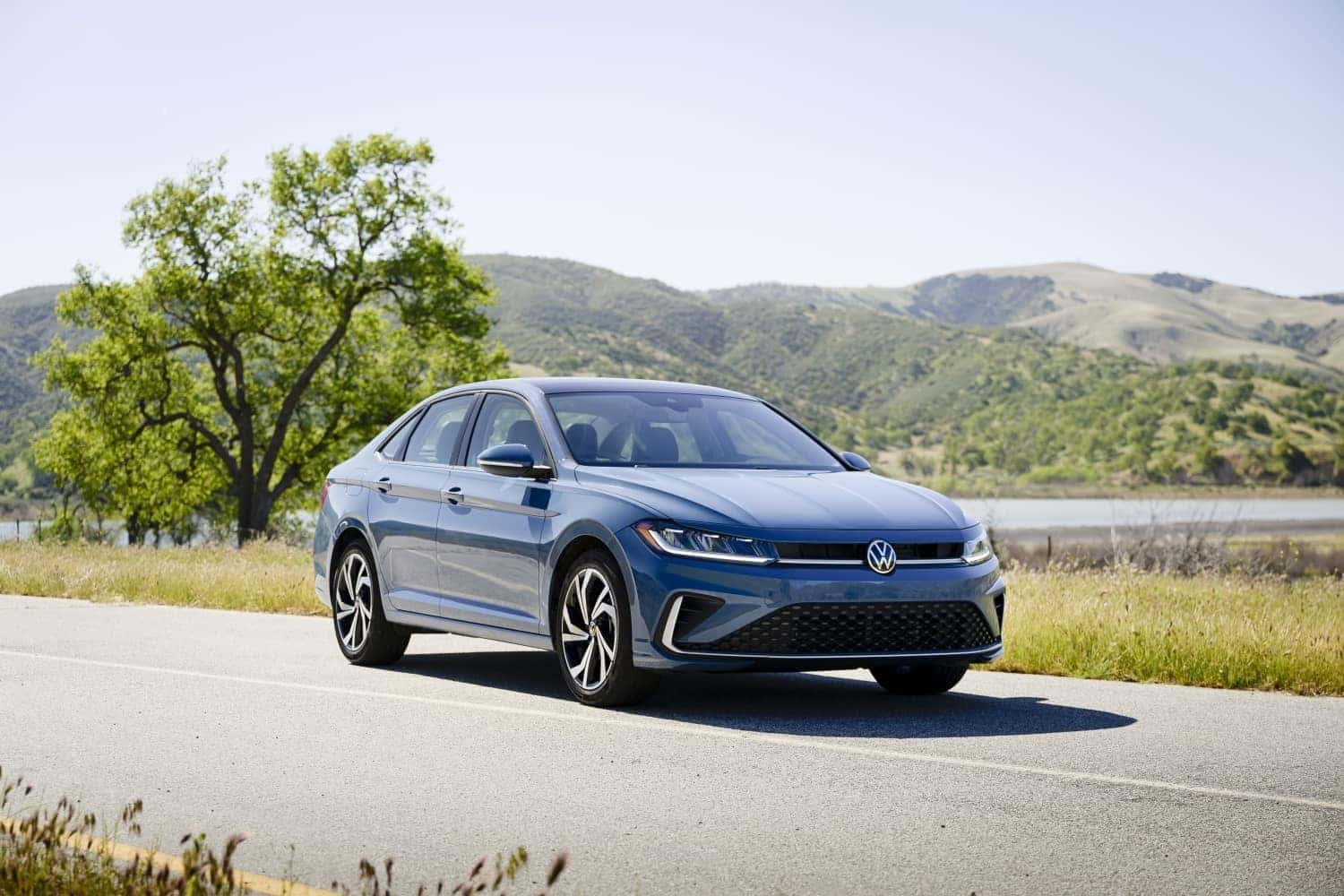
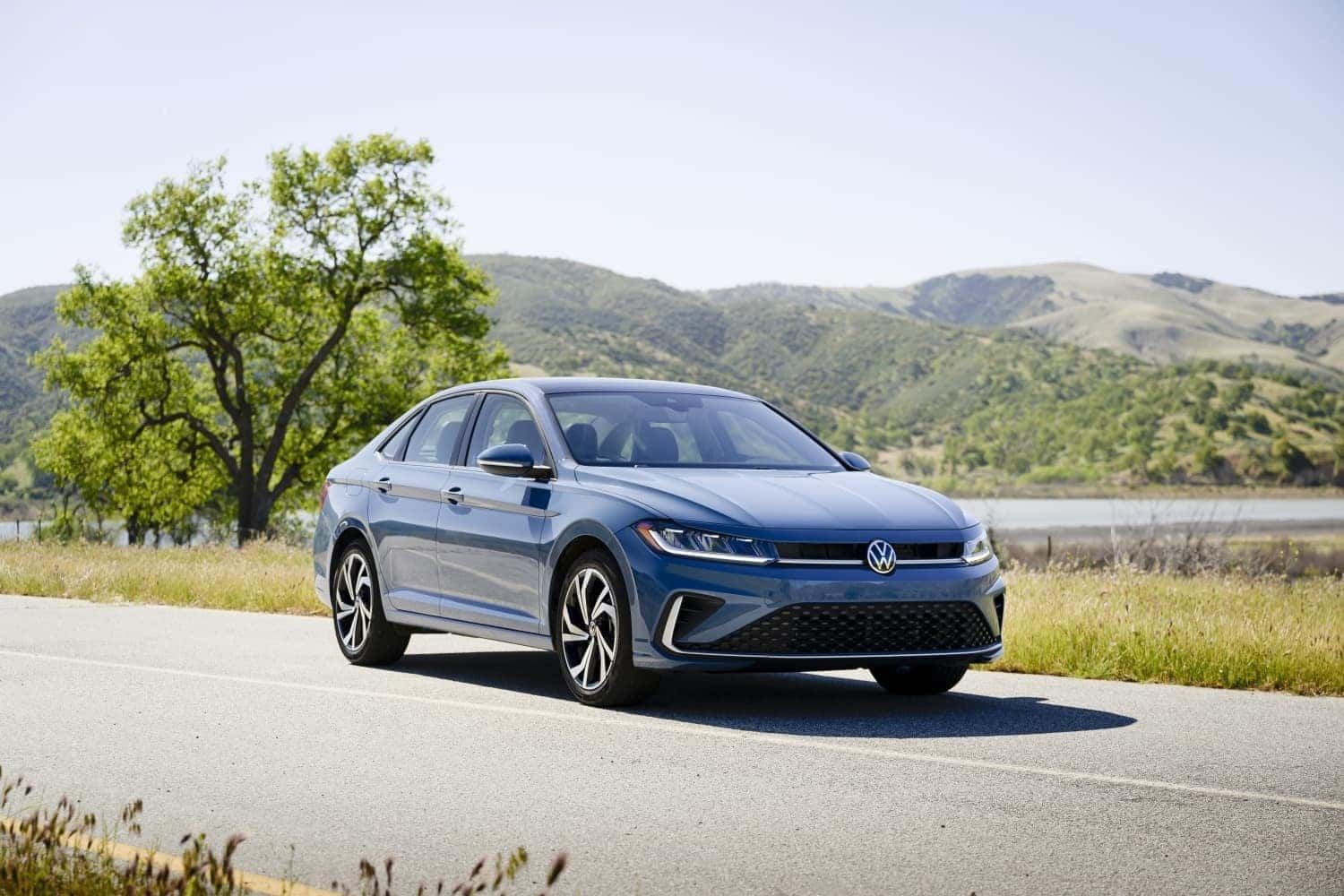
The 2025 Volkswagen Jetta is making a grand entrance this year with its perfect blend of modern design, advanced technology, and value. This model continues to be a top contender in the compact sedan market. Here’s a detailed look at its standout features, available soon at Speedcraft Volkswagen in Rhode Island. Modernized Exterior Design The 2025 VW Jetta showcases a refreshed exterior with sleek updates to both the front and rear. It features a new grille, LED headlights, and an optional light bar on Sport trims and higher. The redesigned trunk lid with a full-width light bar adds an elegant touch to the rear, enhancing the overall modern aesthetic. Advanced Infotainment System Every 2025 Jetta model now includes an 8-inch floating touchscreen infotainment system. This upgrade provides seamless connectivity with standard wireless Apple CarPlay and Android Auto, ensuring that convenience and integration are at your fingertips. Enhanced Interior Quality Step inside the 2025 Jetta and experience significant interior upgrades. SE models boast Microcloud leatherette, while the SEL trim is outfitted with premium Vienna leather, elevating both comfort and luxury for drivers and passengers alike. Manual Transmission for Enthusiasts For those who enjoy a more involved driving experience, the 2025 Jetta GLI continues to offer a six-speed manual transmission. This feature, alongside the standard seven-speed dual-clutch automatic transmission, caters to driving enthusiasts. Cutting-edge Safety with IQ.DRIVE Safety is paramount with the 2025 Jetta, as all models come equipped with the IQ.DRIVE safety system. Key features include adaptive cruise control, lane assist, and automatic emergency braking, all of which work together to enhance the safety of drivers and passengers. New Wheel Designs Volkswagen introduces fresh wheel designs for the 2025 Jetta. SE models feature redesigned 17-inch wheels, while SEL and GLI trims are equipped with 18-inch options. The available black wheel packages further enhance the sporty appeal of the SE and GLI models. Updated Climate Control The 2025 Jetta now offers capacitive touch controls for its dual-zone climate system. This modern feature replaces traditional dials, providing a sleek and user-friendly interface for climate adjustments. Wireless Charging and Connectivity The SE and higher trims of the 2025 Jetta are equipped with a 15-watt wireless charging pad with integrated cooling, ensuring your devices remain charged without overheating. Wireless App-Connect is also standard on these trims, keeping you connected on the go. Outstanding Fuel Efficiency The 2025 VW Jetta is renowned for its economical performance, achieving an EPA-estimated 31 mpg city and 41 mpg highway with the base S model. It’s a practical choice for those conscious of fuel costs. New Exterior Color Options Personalize your 2025 Jetta with two new exterior color options—Monterey Blue Pearl and Monument Gray. These shades add to the vehicle's visual appeal and allow for greater customization. Visit Speedcraft Volkswagen in Rhode Island to explore the 2025 VW Jetta and experience these features firsthand. Stay tuned for availability updates and be among the first to test drive this impressive compact sedan.

What is MyVW App

What is MyVW?

The myVW App: Everything You Need to Know If you own a Volkswagen, then you need to download the myVW app. This app makes it easy to connect with your vehicle and take advantage of all the features and benefits that VW has to offer. Keep reading to learn more about the myVW app and how it can make your life as a VW owner easier than ever before. If your vehicle is Model Year 2019 or older, myVW isn't ready for you just yet-but it will be soon! Stay tuned as we work to make myVW accessible to all Volkswagen owners App Features and Benefits The myVW app is packed with features that VW owners will love. Some of the things you can do with the myVW app include: • Schedule service appointments • Get maintenance reminders • View your vehicle's owner manual • Find local dealerships • Receive notifications about recalls • Check for software updates • And much more! As you can see, the myVW app is a must-have for anyone who owns a Volkswagen. It provides a convenient way to stay on top of all your vehicle's maintenance needs and keep up with any recalls or software updates. Plus, it's a great resource for finding local dealerships and scheduling service appointments. Basically, the myVW app is your one-stop shop for all things VW. Tips for Getting Started with the myVW App First, you need to download the app from the App Store or Google Play. Once you have the app installed on your mobile device, open it up and create an account. You'll need to provide some basic information, such as your name, email address, and vehicles VIN number. Once you have an account set up, take some time to explore all the features and functions of the app. Be sure to also check out the FAQ section if you have any questions about how to use the app or troubleshoot any issues you may be having. The myVW App is an essential tool for anyone who owns a Volkswagen vehicle. It provides a convenient way to stay on top of maintenance needs, find local dealerships, and schedule service appointments. Plus, it's packed with other useful features like owner manuals and recall notifications. If you're new to using the myVW app, be sure to check out our tips above to get started. Trust us, once you start using this app, you'll wonder how you ever lived without it! For drivers who want the best of both worlds, myVW offers the perfect solution. By integrating your smartphone with your car, you can enjoy a streamlined experience whether you're connecting on the go or from home. myVW puts all the information you need right at your fingertips, making it easy to manage your Volkswagen ownership experience. Plus, with features like remote start and stop, you can take care of business even when you're not behind the wheel. Whether you're scheduling service or checking your owner's manual, myVW makes it easy to be a Volkswagen owner. sign up today and see for yourself! How does myVW work? The myVW app is a handy tool for Volkswagen owners. It lets you remotely start your vehicle, schedule service, and monitor your Volkswagen. The app is available for both Android and iOS devices. To use the app, simply download it from the App Store or Google Play and create an account. Once you're logged in, you'll be able to access all of the features. You can use the remote start feature to turn on your engine from anywhere, whether you're still in bed or at the office. The service scheduling feature is great for keeping track of your car's maintenance schedule. If you ever have any questions about your Volkswagen, you can always use the app to chat with a customer service representative. With the myVW app, you'll have everything you need to keep your Volkswagen running smoothly. Remotely Check On Your Volkswagen With myVW, you can always stay connected to your vehicle. With just a tap on your smartphone, you can check your vehicle's location, battery level, and get alerts if it needs any maintenance. Plus, you can access your car's manual and find nearby VW dealerships. The myVW App is the perfect way to keep tabs on your car, no matter where you are.

How Can the VW Car-Net App-Connect Infotainment System Make Your Road Trip Easier?

VW Car-Net App-Connect Features for Traveling Are you planning on a road trip this summer? Where to? Asheville, North Carolina? San Diego, California? No matter where you plan to go, the best way to get there is in a new Volkswagen vehicle, which you can find right here at Speedcraft Volkswagen! Each model in the current Volkswagen vehicle lineup offers an incredible amount of comfort and efficiency to get you to your destination pain-free and within your fuel budget. And the best thing about road tripping in a Volkswagen is that many of the models are outfitted with the VW Car-Net App-Connect infotainment system! Read More About VW Technology Does VW Car-Net App-Connect Offer Hands-Free Texting? Yes! Thanks to Bluetooth connectivity, you can link your smartphone with the VW Car-Net App-Connect infotainment system in your chosen VW model – which will allow you to make hands-free calls/texts with the help of the easy-tap touchscreen on the dash, buttons on the steering wheel, or through voice command. This not only means that you can stay connected with your loved ones while you are traveling, but you will also stay safer because you can keep your eyes on the road! Schedule a Test Drive With Us! Additional Navigation With the VW Car-Net App-Connect We could buy the latest version of a road map, but it will already be obsolete. Many versions of the VW Car-Net App-Connect infotainment system come with additional navigation capabilities so you will always be able to find your desired destination! Keep Up With Your Favorite Apps! Advanced versions of the VW Car-Net App-Connect infotainment system allow you to access your favorite apps! You might even find some additional ones that contain helpful information while you are on the road, such as weather forecasts, traffic alerts, gas prices, nearby attractions and restaurants, and more! To learn more about the VW Car-Net App-Connect, please visit us here at Speedcraft Volkswagen!

Volkswagen Safety features: Blind Spot Monitoring System

How does the Volkswagen Blind Spot Monitor work? When it comes to driving on the highway, merging and switching lanes can be a big source of stress for many drivers. The blind spot on the side of vehicles make it difficult to see if other vehicles are passing or driving next to you. That’s why automakers like Volkswagen are equipping some of their models with features like Blind Spot Monitoring, to help drivers be more aware of their surroundings. Available on select models through the Volkswagen Driver Assistance package, the Volkswagen Blind Spot Monitor. The system functions by keeping track of the blind spots on the side of the VW vehicle and letting the driver know when another vehicle enters either of them. It’s made up of two radar sensors located on the back of the vehicle near each corner. Using the Blind Spot Monitor The Blind Spot Monitor System will notify the driver whenever another vehicle is in the blind spot by flashing an LED symbol on the side mirror. The mirror in which the LED symbol lights up in is relative to the side of the vehicle the other car is on. The system only works with adjacent vehicles, and won’t go off for stationary objects or oncoming vehicles. Get the VW Blind Spot Monitor There are a variety of VW models that come standard with the VW Blind Spot Monitor, while others can get it with the VW Driver Assistance Package. If you’re interested in getting behind the wheel of a vehicle equipped with this impressive technology, contact us here at Speedcraft Volkswagen. We’ll be happy to help you find the Jetta, Golf, Tiguan or other VW model you’re looking for, with all of the safety features you want. Just schedule an appointment online or give us a call to set up a test drive in the vehicle of your choice. That way, you can experience the convenience of the Blind Spot Monitor and its easy-use design for yourself! We look forward to hearing from you!

Volkswagen Light Bulb Warning Lights Explained

What do the light bulb warning lights mean in my Volkswagen? For many drivers, the warning lights can be confusing. While many of them are well-known or self-explanatory, others can leave drivers scratching their heads. Of course, the light bulb warning lights indicates problems with your Volkswagen vehicle’s lights, but with a total three different light bulb warning lights, there can be some confusion as to which lights are having issues. There should be a total of three different light bulb-themed warning lights in your Volkswagen, each of which correlates with certain lights in your VW. By having different warning lights for each set of lights, it spares you the hassle of trying to figure out which lights are burnt out – granted you know which lights correlate to which symbol. A basic break-down of the light bulb warning lights in your VW include: Headlight Bulb Failure If this light is solid, that means that there’s been a light bulb failure. If it’s flashing, there’s a problem with the headlight leveling or AFS. Brake Light bulb burnt out When this light comes on your dashboard, it means that one or more of the brake lights on your VW has burned out and needs replacing. License Plate Light bulbs Like the brake lights, this symbol means that one of the light bulbs on around your license plate has burned out. Replacing a light bulb in your Volkswagen Of course, changing the lights in your Volkswagen depends on where the light is located on your vehicle. And while you can definitely try to do it yourself if you’re feeling confident, but the best thing to do is schedule a service appointment with our expert staff here at Speedcraft Volkswagen, where we’re well-versed in caring for your VW. If you do end up changing the bulb yourself, keep in mind that you can always contact us here with any questions or if you’d like some tips or tricks to getting the job done right. For more information like this, be sure to check out the rest of our blog, and check back regularly for new updates! If you have any questions about your Volkswagen’s warning lights, be sure to leave them in the comments below!

Get behind the wheel of a Volkswagen with Rear Traffic Alert!

Which Volkswagen models have Rear Traffic Alert? Safety has always been key when it comes to driving, which is why many automakers are making bigger strides to make their vehicles safer. Volkswagen is among those adding new technologies to their vehicles to not only protect in the event of an accident, but to help drivers avoid them in the first place. One such feature is the Rear Traffic Alert technology, which is available in select Volkswagen models. The Volkswagen Rear Traffic Alert feature is available in a variety of models. Those currently available with the technology include: Jetta Passat Golf SportWagen Golf Golf GTI Beetle Beetle Convertible When paired with the rearview camera, as shown here, drivers have easy visibility behind their vehicle. Most of these great models are available here at our dealership, so we encourage you to take a look at our inventory! Not sure which model is right for you? We’ve already done the research for you! Just check out our comprehensive model reviews for more information! After you’ve finished researching, just give us a call or schedule a test drive here to get behind the wheel! What is the Volkswagen Rear Traffic Alert? We’ve all been in a situation where we're trying to back out of a parking stall or garage, and other larger vehicles or walls around our vehicle prevent us from seeing anything that might be crossing our path. Well, with Rear Traffic Alert, the rear sensors on the back of your vehicle are able to sense if another vehicle or pedestrian is crossing your path. If you’re pulling out of a parking spot and your vehicle senses somebody crossing your path, it will first alert you with an audio and visual alert. If you don’t react in a timely manner, the vehicle will automatically apply brakes to help avoid a collision. The system is only in effect when your vehicle is in reverse, so no need to worry about it going off when someone switches lanes behind you on the highway! The Volkswagen Rear Traffic Alert is just another way these models work to provide you with a safer, more enjoyable driving experience. What do you think of the Volkswagen Rear Traffic Alert? Let us know in the comments below!

Unpairing Bluetooth from Volkswagen

How to unpair Bluetooth in your Volkswagen

Unpairing Bluetooth in a Volkswagen Bluetooth is a handy tool that many drivers use these days to stay connected behind the wheel. It allows drivers access to contacts and music on their phone without having to take their hands from the wheel. That being said, sometimes you need to unpair a phone from your Volkswagen’s Bluetooth. Whether you got a new phone or a new vehicle, unpairing Bluetooth in a Volkswagen is easy enough. Take a look at the directions below to learn more about how to unpair  a Bluetooth device in your car. If you’re looking to delete old bluetooth profiles off of your Volkswagen Tiguan, Jetta, Golf or other VW model’s Bluetooth, it’s easy enough to do. If you have any questions, be sure to contact us here at Speedcraft Volkswagen – we’re always happy to help you with any of your VW-related questions! Unpairing Bluetooth instructions Step 1: Go to the “Phone” option on the center information panel. Step 2: Select the “Users” option and you will the names of the phones paired with your vehicle. Step 3: Scroll down to the phone option that you would like to remove. Step 4: Press the “OK” button on your steering wheel. Step 5: Then you’ll receive a prompt with multiple options, you can scroll down until you find the “DELETE” option, and press “OK”. And you’re all set! From there, your phone should be unpaired from your vehicle. If this process didn’t work for you, you may need to reset your vehicle’s Bluetooth system. You can do this by selecting the “Phone” option and then selecting the “Reset to Factory Settings”, which will erase all of the vehicle’s saved phones. If you’re having trouble getting your phone to link properly, you may be having a problem with compatibility. To check if your phone is compatible with your Volkswagen vehicle, visit this page, where you’ll find all of the phones compatible with Volkswagen models. Questions? Leave them in the comments below and we’ll be sure to address them!

How to use Push Button Start and Keyless Entry in your Volkswagen

Using Push Button Start If you’re lucky enough to find yourself behind the wheel of a newer Volkswagen vehicle, you already know that it comes with some pretty great features designed to improve your driving experience. That of course means offering convenient features like Push Button Start and Keyless Entry. If you’re new to such new-fangled tech, take a look below to learn how to get the most out of them. With a vehicle with Push Button Start, getting going has never been easier. To start, you need to make sure that you have your vehicle’s key on your person, whether it’s in your purse, pocket or even hand, it doesn’t matter as long as the vehicle is able to sense it. Without the key, the vehicle won’t start and you likely won’t be able to get into it either. Once you’re inside the vehicle, you’ll need to put your foot on the brake (if you have a model with manual transmission, put your foot on the clutch instead). Then all you have to do is push the Start/Stop button and your engine will automatically start. Pressing the button without pressing down on the pedal won’t start your vehicle, instead it will enter accessory mode. When you’ve arrived at your destination, pressing the Start/Stop Button again will turn the engine off. Using Keyless Entry Similar to the Push Button Start feature, Keyless Entry also adds an element of convenience to your commute. Gone are your days of rummaging through pockets and purses for your keys, now all you need is to know you have your keys on you somewhere. To use Keyless Entry, like the Push Button Start, you need to have your vehicle’s key on you. Easy enough, and it only gets easier. From there, all you have to do is walk within five feet of your vehicle’s doors and put your hand behind the door handle. Wait there momentarily as your vehicle senses the key and then the doors will unlock automatically and you can pull the handles to open them. When you want to lock your vehicle, all you have to do is press the dimple on the door handle and all of the doors will lock. Like the idea of Push Button Start and Keyless Entry and want to get a vehicle of your own with it? No problem! We currently have a wide selection of models available that come with both features. All you need to do is take a look at our inventory and contact us here!

Contact Us

Fill out this form below and we'll contact you shortly
*Required Fields